> For the complete documentation index, see [llms.txt](https://docs.hzz.im/llms.txt). Markdown versions of documentation pages are available by appending `.md` to page URLs; this page is available as [Markdown](https://docs.hzz.im/rdr2/rift/vehicle.md).
# Rift 加载载具模组
## **下载**
{% hint style="info" %} **小贴士**
**永远养成一个好习惯:下载任何程序不要下到含 中文/中文符号/奇怪字符 的文件夹中,这可能导致部分程序运行不了;并建议将单个程序/压缩包放入单独的文件夹中,防止部分程序释放出很多闲杂文件或解压出太多文件影响整洁度**
{% endhint %}
{% embed url="" %}
{% tabs %}
{% tab title="通过菜单打开放置" %}
**1.通过菜单杂项进入****`载具模组`****选项**
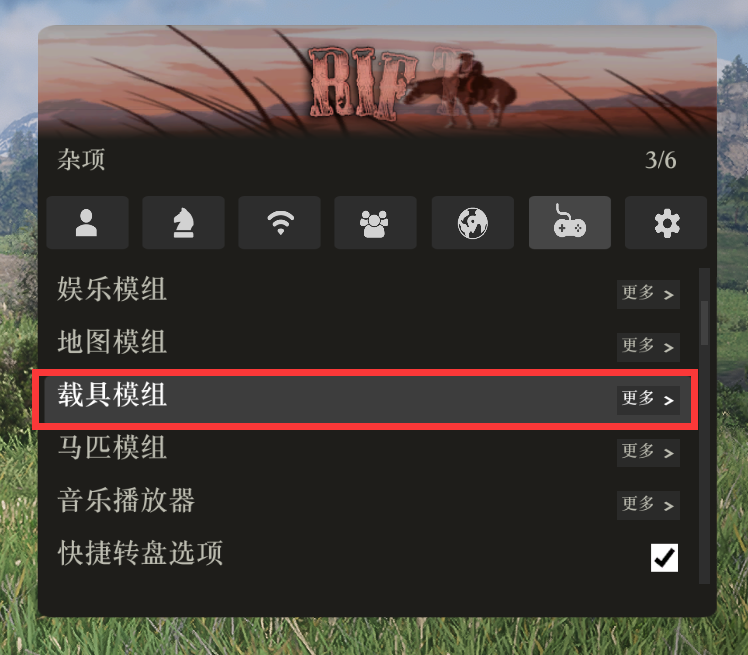 **2.载具模组选项内-点击打开文件夹**
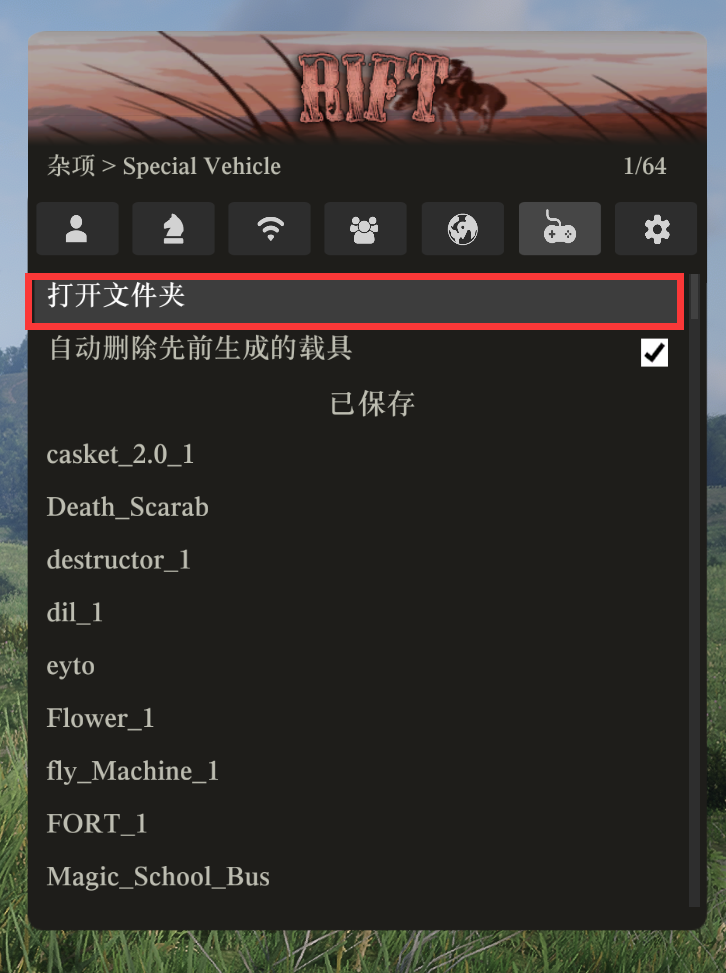 **3.将下载的模组文件****`解压`****并放置在打开的文件夹内即可返回菜单加载**
{% endtab %}
{% tab title="手动打开放置" %}
**按下 ****`Win + R`**** 键 输入 ****`%appdata%`**** 并按下回车**
**3.将下载的模组文件****`解压`****并放置在打开的文件夹内即可返回菜单加载**
{% endtab %}
{% tab title="手动打开放置" %}
**按下 ****`Win + R`**** 键 输入 ****`%appdata%`**** 并按下回车**
 **进入 ****`rift-cheats`**** 文件夹**
 **进入 ****`Red Dead Redemption 2`**** 文件夹**
 **进入 ****`creations`**** 文件夹**
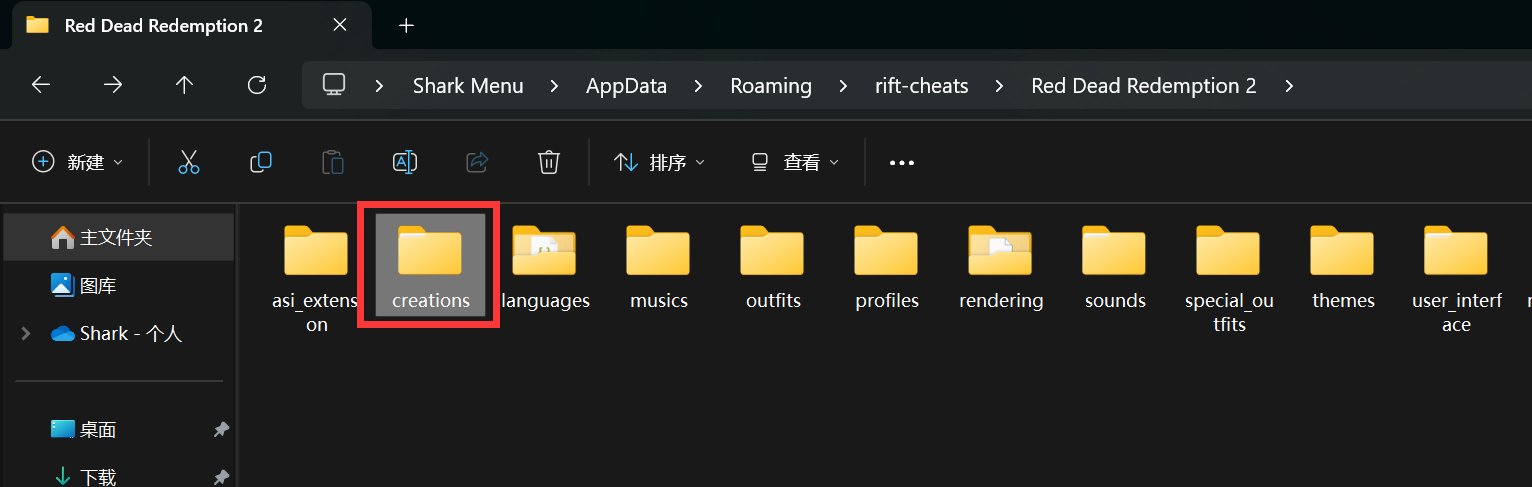 **将下载的载具模组文件解压至 ****`vehicles`**** 文件夹内**
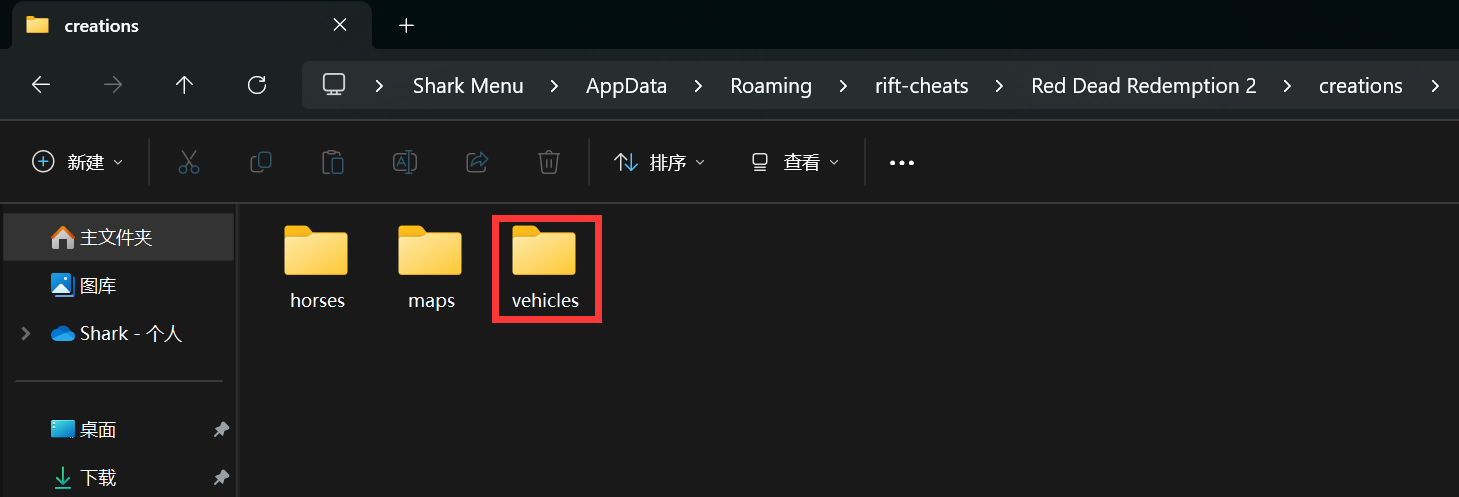 **将下载的模组文件****`解压`****并放置在打开的文件夹内即可返回菜单加载**
{% endtab %}
{% endtabs %}
**将下载的模组文件****`解压`****并放置在打开的文件夹内即可返回菜单加载**
{% endtab %}
{% endtabs %}