# Rift 刷职业教程

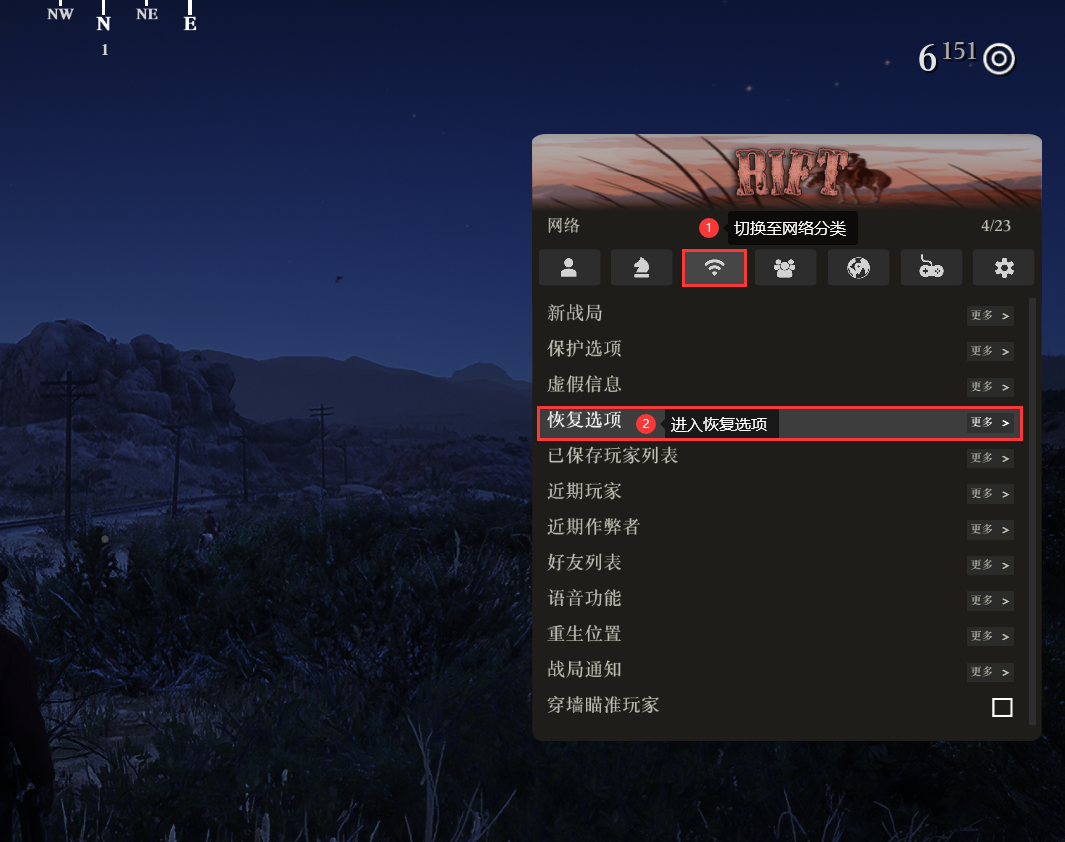
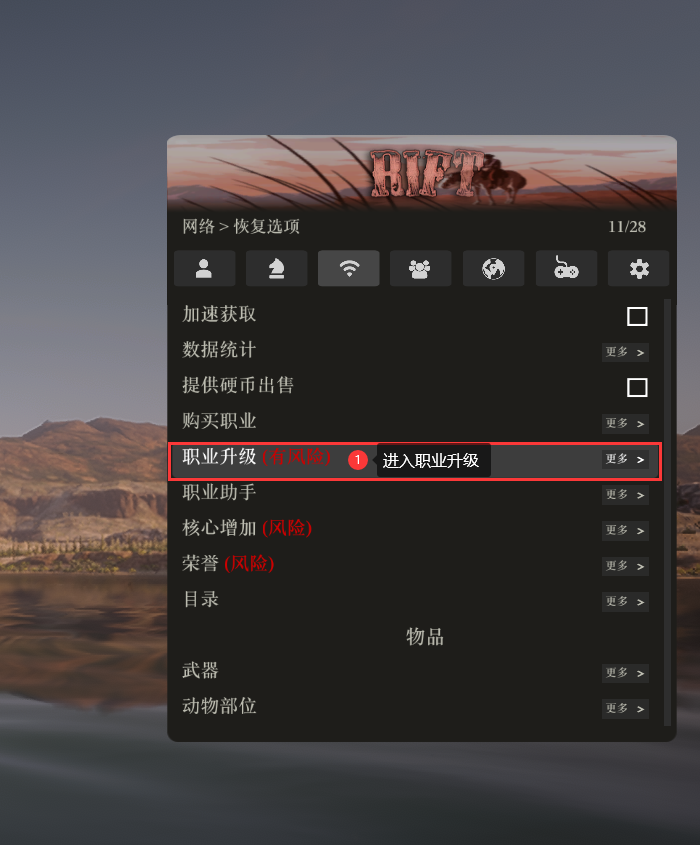
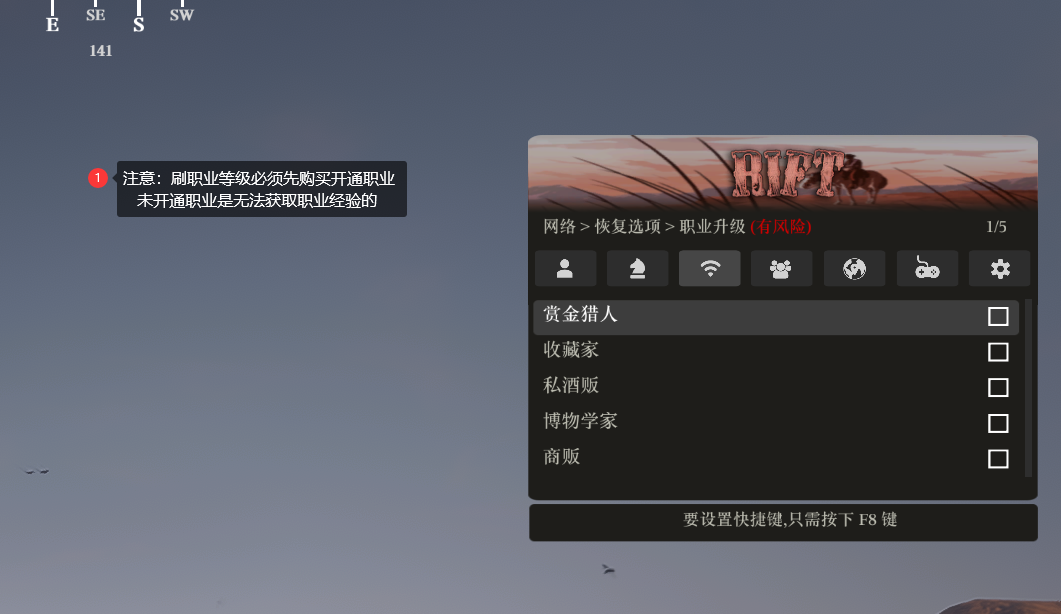
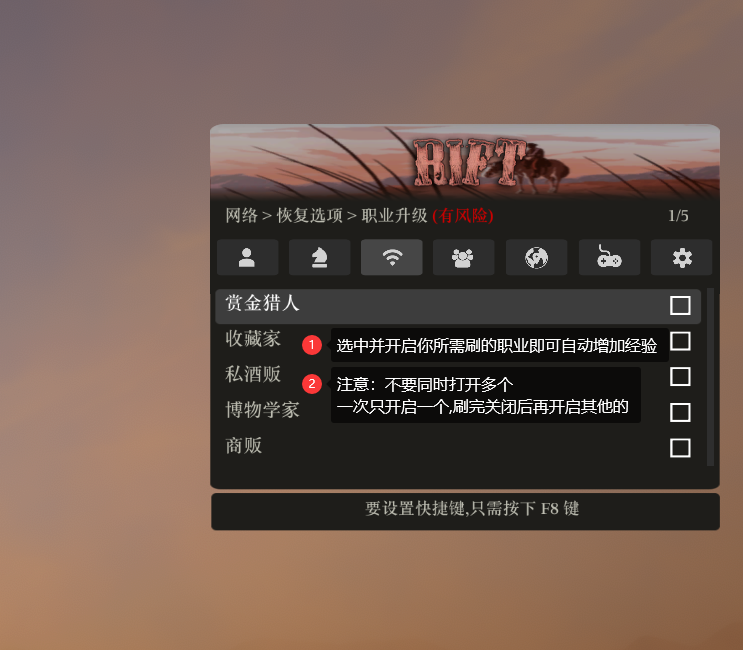
**自动刷全职业教程：**

<figure><img src="/files/KCmZNSVDOHetpClUrlUw" alt=""><figcaption></figcaption></figure>

<figure><img src="/files/Qi17DiDRRZtPs8Gh1ZyF" alt=""><figcaption></figcaption></figure>

<figure><img src="/files/MnErlCalCggY7u3GZvTV" alt=""><figcaption></figcaption></figure>

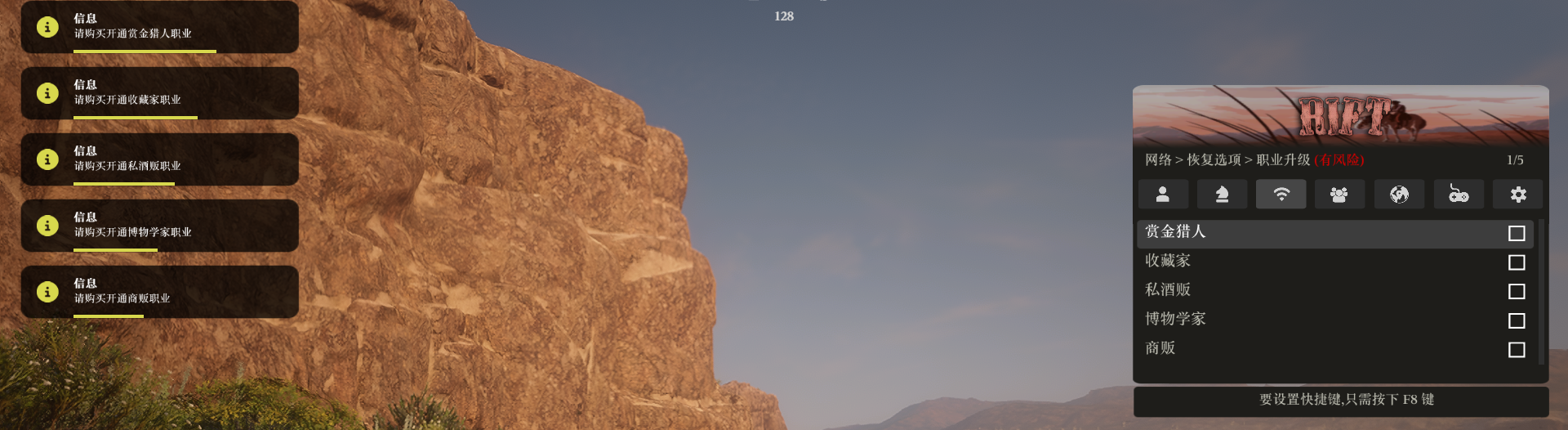
{% hint style="info" %} <mark style="color:blue;">**未开通职业会有下图提示：**</mark>
{% endhint %}

<figure><img src="/files/2LIg0Qb390iux5p4EaiI" alt=""><figcaption></figcaption></figure>

{% hint style="danger" %} <mark style="color:red;">**不要同时打开多个选项**</mark>

<mark style="color:red;">**一次只开启一个,刷哪个开哪个,否则可能导致错误**</mark>
{% endhint %}

<figure><img src="/files/Y46kD5ynVmWOwgASPWcX" alt=""><figcaption></figcaption></figure>


---

# Agent Instructions: Querying This Documentation

If you need additional information that is not directly available in this page, you can query the documentation dynamically by asking a question.

Perform an HTTP GET request on the current page URL with the `ask` query parameter:

```
GET https://docs.hzz.im/rdr2/rift/profession.md?ask=<question>
```

The question should be specific, self-contained, and written in natural language.
The response will contain a direct answer to the question and relevant excerpts and sources from the documentation.

Use this mechanism when the answer is not explicitly present in the current page, you need clarification or additional context, or you want to retrieve related documentation sections.