> For the complete documentation index, see [llms.txt](https://docs.hzz.im/llms.txt). Markdown versions of documentation pages are available by appending `.md` to page URLs; this page is available as [Markdown](https://docs.hzz.im/gta5/cherax/go.md).
# 樱桃迁移教程
**进入 Cherax 官网**
{% embed url="" %}
**点击`Forgot your password?`**
**如图所示:**
## 输入你的信息
{% hint style="danger" %} **如果你在**** ****`Cherax旧网站`**** ****的账户所绑定的****`邮箱无法访问`****,那么你就无法迁移账户,新官网同步的数据(用户名/邮箱)为2023年10月31日**
{% endhint %}
**输入`旧网站账户所绑定的邮箱`,然后点击`Reset Password`**
**出现绿色提示:****`We have emailed your password reset link!`**** 后,进入你的邮箱点击里面的链接**
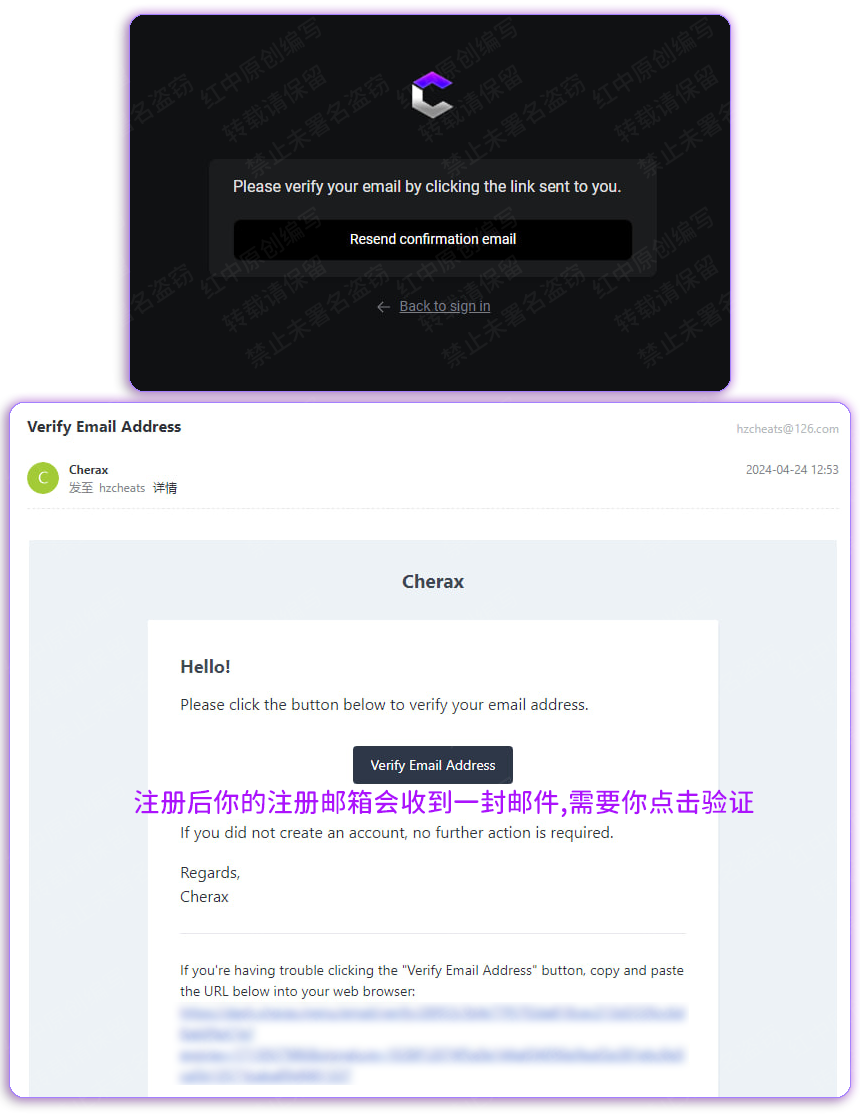
## **验证邮箱**
**需等验证邮箱后,才能进行激活!**
**如上图所示,点击 `Verify Email Address` 验证邮箱**
## **输入信息**
{% hint style="danger" %} **账户密码不能出现任何****`特殊符号/中文字符`****,否则会导致你无法注入**
{% endhint %}
**输入你想要的密码,其他自动填充项目不要碰(邮箱),然后点击 `Reset Password` 完成迁移!**