> For the complete documentation index, see [llms.txt](https://docs.hzz.im/llms.txt). Markdown versions of documentation pages are available by appending `.md` to page URLs; this page is available as [Markdown](https://docs.hzz.im/g/ow2/ring-1/show.md).

# Ring-1功能展示与中文注解

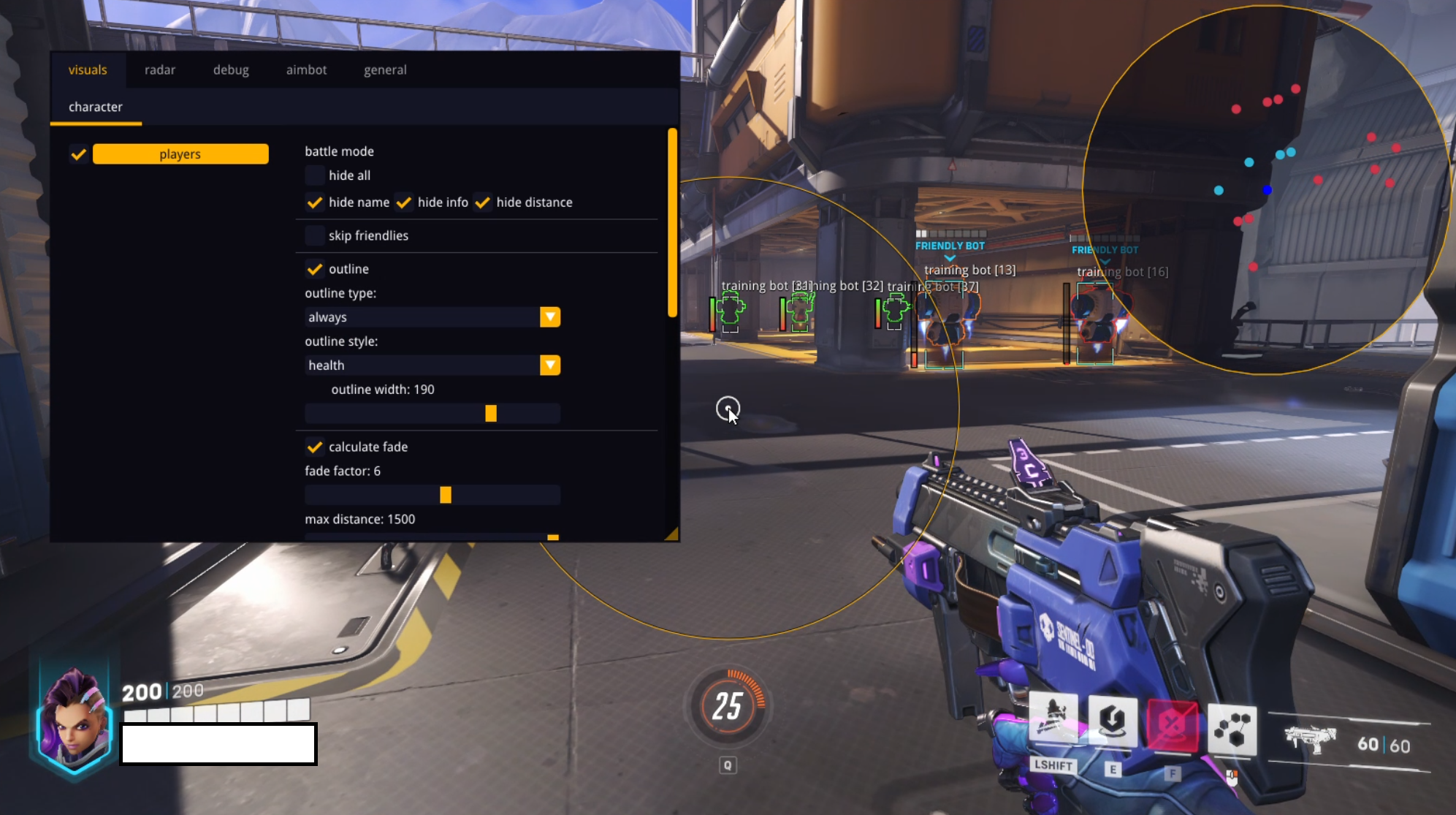
## 功能注解

{% tabs %}
{% tab title="自瞄" %}
Aim hotkey丨自瞄快捷键&#x20;

Field-of-view丨绘制可视性&#x20;

Aim smoothing丨自瞄平滑&#x20;

Target selector丨自动扳机&#x20;

Lock target丨瞄准目标&#x20;

Switch target delay after kill丨击杀后切换瞄准延迟&#x20;

Draw crosshair丨绘制十字准星&#x20;

Show snaplines丨显示透视线&#x20;

Visibility checks丨可视性检查&#x20;

Aim at specific bone丨自瞄特定骨骼位置&#x20;

Skip invisible丨跳过隐形&#x20;

Flick shot丨弹射&#x20;
{% endtab %}

{% tab title="透视" %}
Battlemode丨对战模式&#x20;

Max render distance丨最大透视渲染距离&#x20;

Max healthbar render distance丨最大显示生命值距离&#x20;

Max name render distance丨最大显示名称距离&#x20;

Max info render distance丨最大显示信息距离&#x20;

Healthbar position丨血条位置&#x20;

Healthbar style丨血条样式&#x20;

Border style丨方框样式&#x20;

Max bones render distance丨最大显示骨骼透视信息
{% endtab %}

{% tab title="雷达" %}
Show enemies丨显示敌人&#x20;

Show friendly丨显示好友&#x20;

Color丨颜色
{% endtab %}
{% endtabs %}

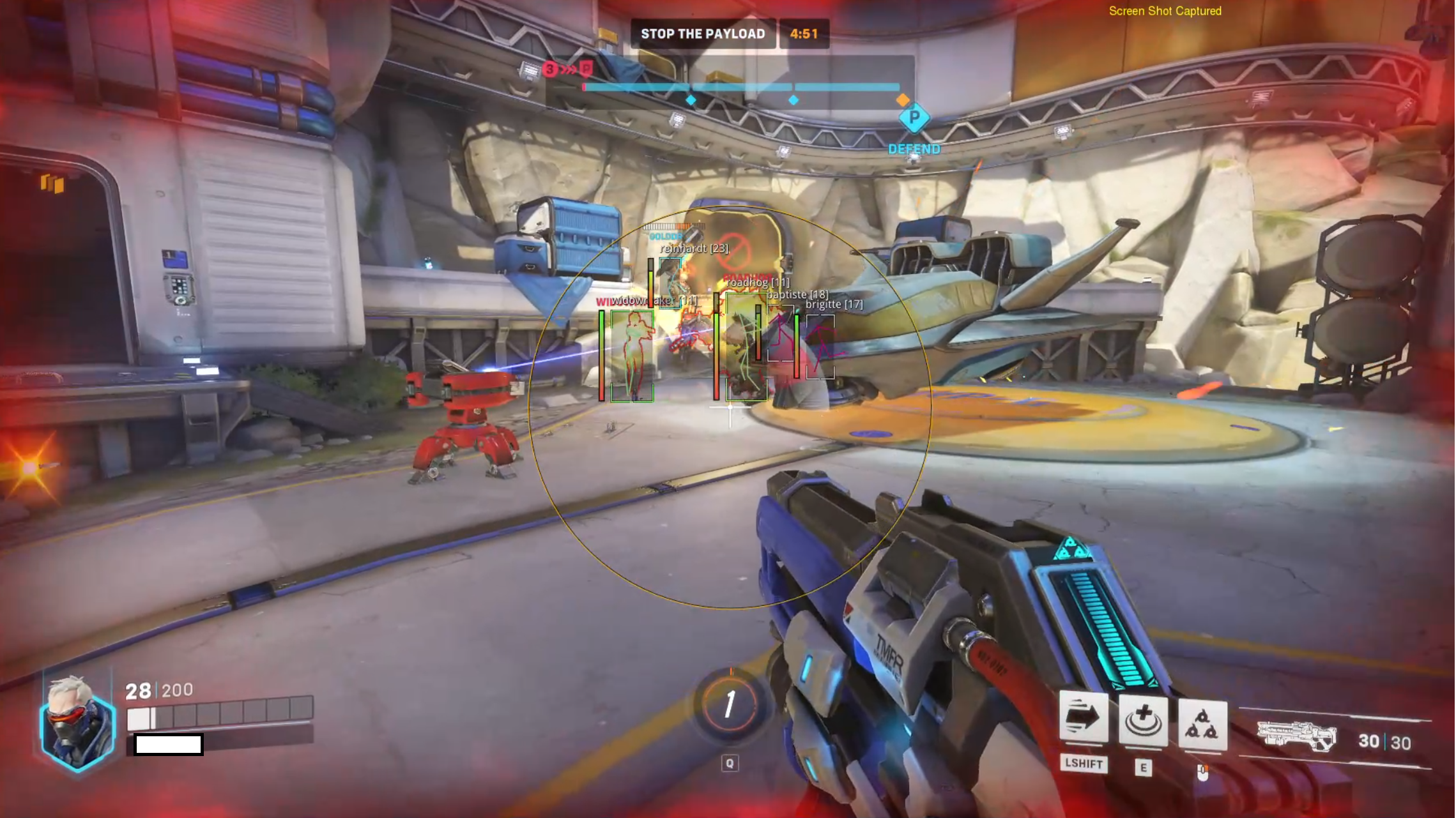
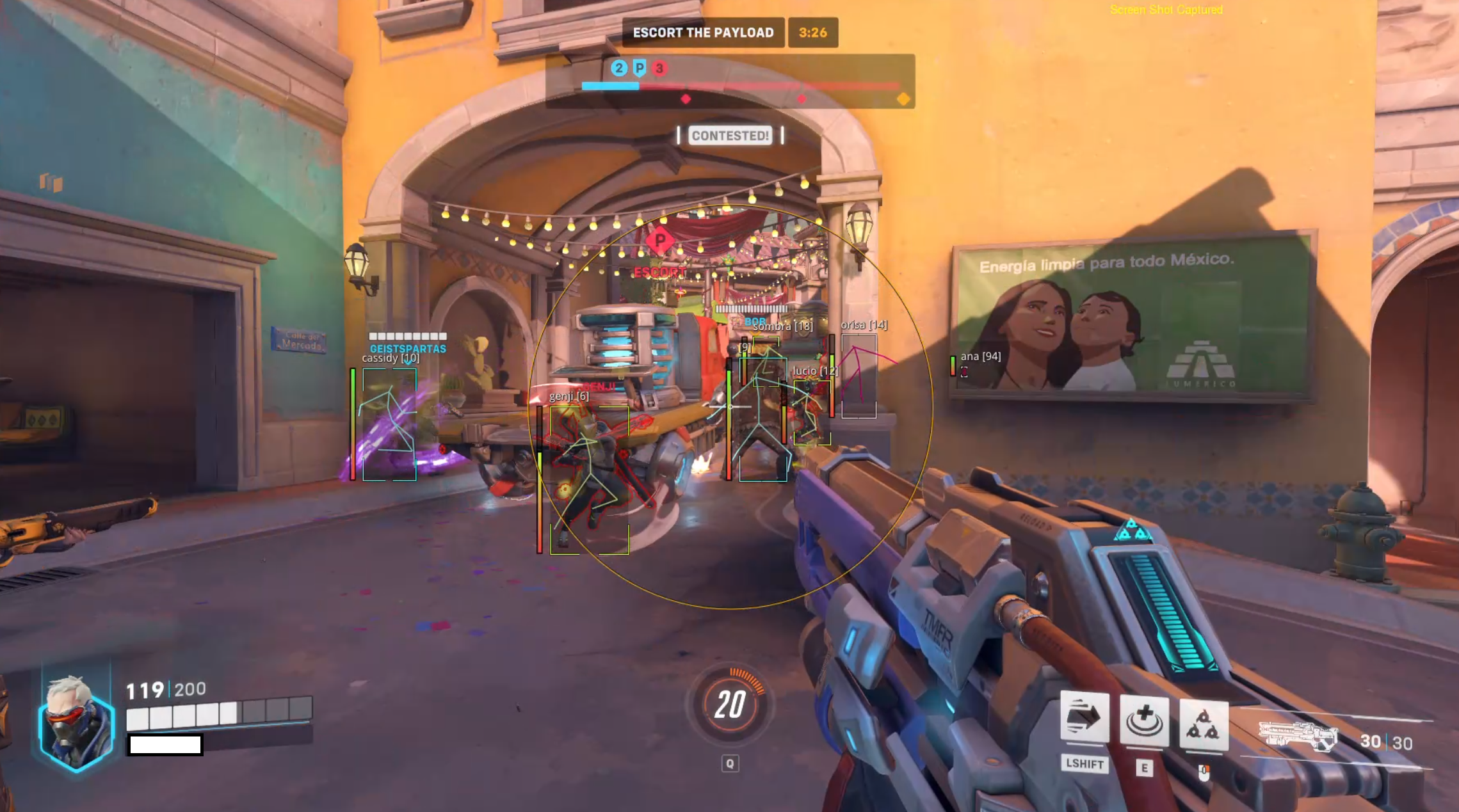
## 局内展示
<figure><img src="/files/7OP7u9wNZFIOWDRELkF9" alt=""><figcaption></figcaption></figure>

<figure><img src="/files/IsQHBSIZgUD3CQM6QTYP" alt=""><figcaption></figcaption></figure>

<figure><img src="/files/z4oPjWeVQqdXZOepE3jQ" alt=""><figcaption></figcaption></figure>


---

# Agent Instructions
This documentation is published with GitBook. GitBook is the documentation platform designed so that both humans and AI agents can read, navigate, and reason over technical content effectively. Learn more at gitbook.com.

## Querying This Documentation
If you need additional information that is not directly available in this page, you can query the documentation dynamically by asking a question.

Perform an HTTP GET request on the current page URL with the `ask` query parameter:

```
GET https://docs.hzz.im/g/ow2/ring-1/show.md?ask=<question>
```

The question should be specific, self-contained, and written in natural language.
The response will contain a direct answer to the question and relevant excerpts and sources from the documentation.

Use this mechanism when the answer is not explicitly present in the current page, you need clarification or additional context, or you want to retrieve related documentation sections.