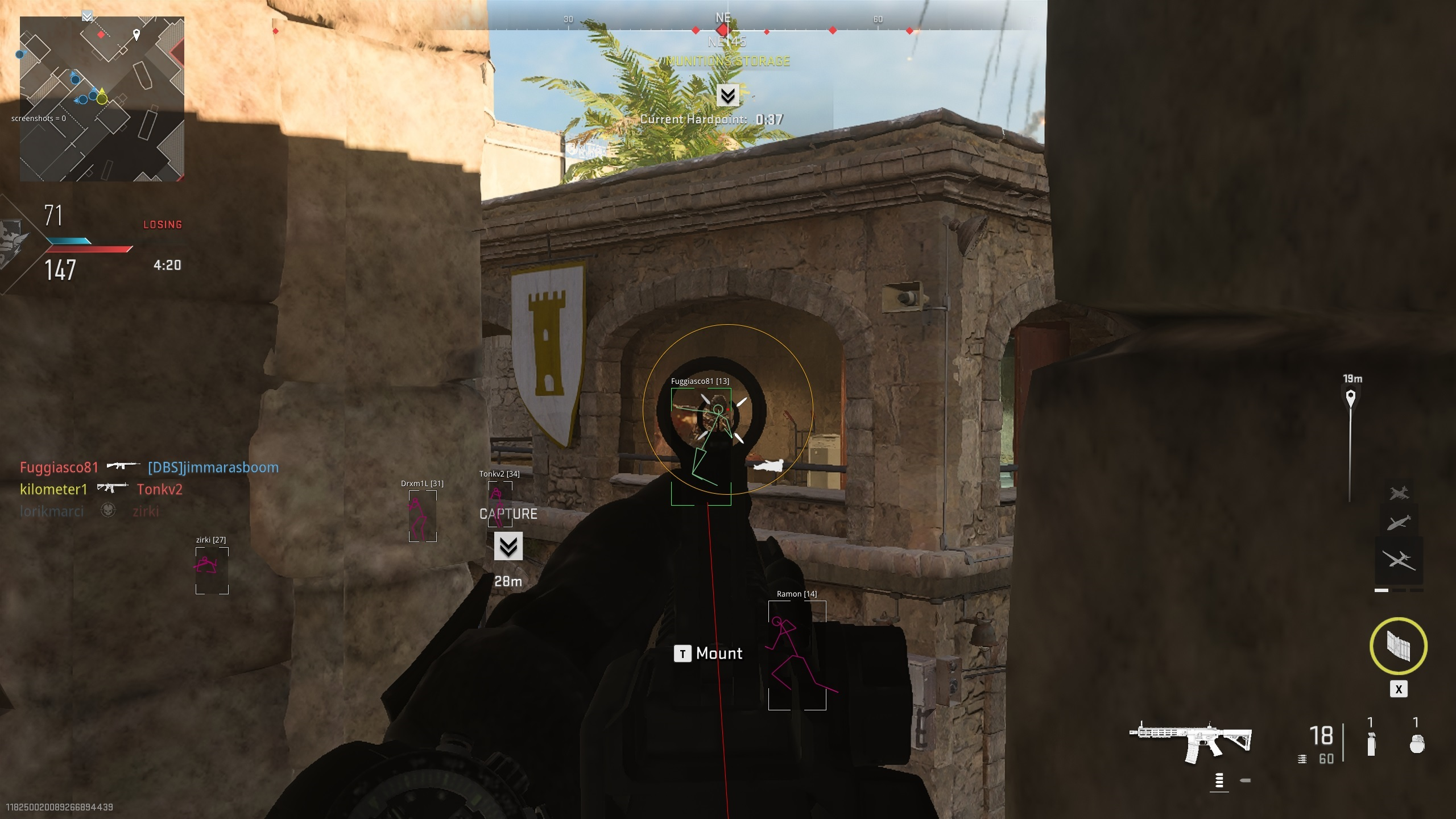
> For the complete documentation index, see [llms.txt](https://docs.hzz.im/llms.txt). Markdown versions of documentation pages are available by appending `.md` to page URLs; this page is available as [Markdown](https://docs.hzz.im/g/cod/ring-1/show/mw2.md).
# MW2
功能翻译错误请及时指正丨会根据后续更新不断更新功能
## **菜单列表**
## **菜单功能图**
{% hint style="success" %} **`查阅功能图时`**
**`手机用户`****:推荐点击打开图片,长按并保存至相册内查看**
**`电脑用户`****:可通过下方链接下载功能图并解压查看&点击打开图片,右键另存为电脑内查看**
{% endhint %}
{% embed url="" %}
## **部分功能视频展示**
{% tabs %}
{% tab title="Aimbot丨自瞄" %}
Aim hotkey丨自瞄快捷键
Field-of-view丨绘制可视性
Aim smoothing丨自瞄平滑
Target selector丨自动扳机
Lock target丨瞄准目标
Switch target delay after kill丨击杀后切换瞄准延迟
Draw crosshair丨绘制十字准星
Show snaplines丨显示透视线
Visibility checks丨可视性检查
Visibility bone scan丨可视性骨骼检查
Aim at specific bone丨自瞄特定骨骼位置
Advanced predictions丨预判自瞄
Bullet drop compensation that supports all guns丨支持所有武器的子弹掉落补偿
Memory aimbot丨记忆自瞄
Mouse emulation aimbot丨鼠标AI自瞄
{% endtab %}
{% tab title="Character ESP丨透视" %}
Battlemode丨对战模式
Max render distance丨最大透视渲染距离
Max healthbar render distance丨最大显示生命值距离
Max name render distance丨最大显示名称距离
Max info render distance丨最大显示信息距离
Healthbar position丨血条位置
Healthbar style丨血条样式
Border style丨方框样式
Visibility checks丨可视性检查
Max bones render distance丨骨骼透视
Bone style丨骨骼样式
Displays name of player丨显示玩家名称
Displays status of player丨显示玩家状态
Displays weapon held in hands丨显示玩家手中武器
{% endtab %}
{% tab title="Loot ESP丨物品透视" %}
Battlemode丨对战模式
Proximity丨接近时
Fov丨范围
Displays both containers and dropped items丨显示补给箱和掉落的物品
Shows rarity colors丨显示物品等级
Skips empty containers丨无视空的补给箱
Translates item names to your in-game language丨将透视物品显示中文
{% endtab %}
{% tab title="Misc丨杂项" %}
Battlemode丨对战模式
Weapon丨武器
No recoil丨无后坐力
No ads丨无广告
Unlock All丨全部解锁
{% endtab %}
{% tab title="Outlines丨概述" %}
Supports players and bots with different colors when character is visible丨支持可视性检查不同颜色的玩家与AI
{% endtab %}
{% endtabs %}